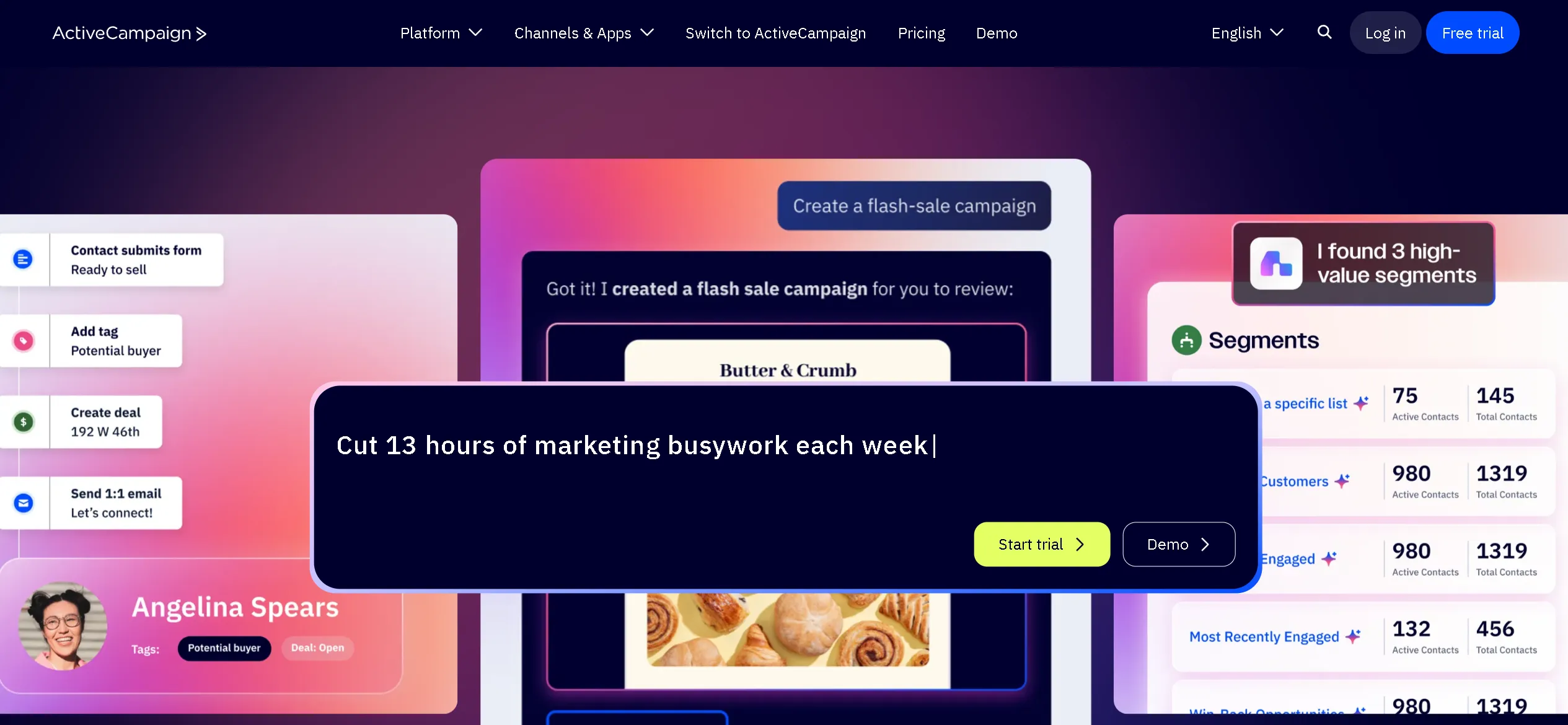
“The money is in the list” — you’ve probably heard that a hundred times. But what if your email list could do more than just send newsletters? What if it could sell, segment, follow up, and even close deals — automatically? In this guide from Side Hustles Central, I’ll show you how ActiveCampaign takes email marketing to the next level with automation, CRM tools, smart targeting, and more. Whether you’re a blogger, store owner, or course creator, you’ll learn how to use this powerful marketing automation tool to save time, boost engagement, and grow your business — even while you sleep.
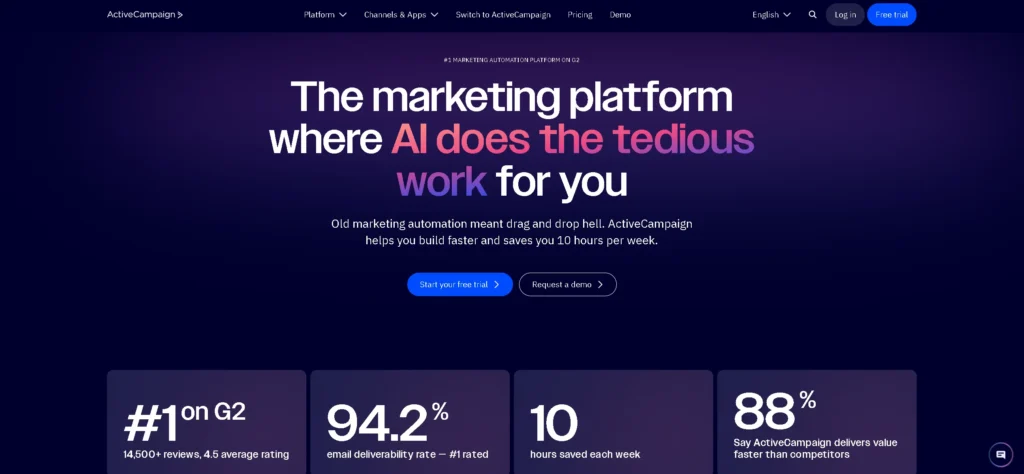
What Is ActiveCampaign and Who Should Use It?
I’ll be honest — when I first stumbled across ActiveCampaign, I thought it was just another email tool trying to sound fancier than it really was. But after diving into it for a few weeks, I realized it’s not just an email marketing platform — it’s an all-in-one marketing automation tool that’s quietly powerful and surprisingly flexible.
So, here’s the quick version: ActiveCampaign is a platform that helps you send smarter emails, automate customer journeys, and manage sales processes — all in one place. It’s designed to take you beyond basic newsletters and instead build entire workflows based on how people interact with your brand. That means behavior-triggered emails, automated follow-ups, CRM integrations, lead scoring — the works.
Read Also


But who actually needs all this?
- Small to mid-sized businesses that want to grow without hiring a huge marketing team.
- E-commerce brands are looking to create personalized customer journeys that boost sales.
- Coaches, consultants, and SaaS companies that rely on lead nurturing and automated funnels.
Now, if you’re coming from a typical email service provider (ESP) like Mailchimp or Constant Contact, ActiveCampaign might feel like going from a scooter to a Tesla. ESPs send emails — that’s their thing. But ActiveCampaign gives you a full toolkit for behavior-based automation, custom workflows, and even sales CRM features.
To put it simply: if you’re tired of sending one-size-fits-all campaigns and hoping for the best, ActiveCampaign lets you talk to your audience like you actually know them — because with the right setup, you pretty much do. And that? That’s a game-changer.
Core Features Breakdown
If someone had told me a few years ago that I’d geek out over a marketing automation tool, I would’ve laughed. But here we are — and honestly, ActiveCampaign kind of changed how I approach online business. Once I saw what it could do beyond basic emails, I realized this wasn’t just an email marketing platform — it was my entire customer engine.
Let’s break down the features I actually use (and love), so you can get a feel for what matters.
Email Marketing and Campaigns
This is where most of us start — and to be fair, ActiveCampaign’s email marketing is pretty impressive on its own.
At first, I thought it’d be like Mailchimp or ConvertKit — you build a list, send a campaign, maybe automate a welcome sequence. But once I got into the email campaign builder, I realized how much control I had. Drag-and-drop email design, A/B testing built right in, and the ability to send based on time zones or behavior? Yes, please.
- Dynamic content: show different blocks based on tags or segments.
- Smart scheduling: send at the best time for each subscriber.
- Email templates that don’t look like 2012.
It’s not just about sending prettier emails — it’s about sending smarter ones.
Marketing Automation Workflows
Now this part — this is what sold me. The marketing automation in ActiveCampaign feels like building a custom brain for your business. It’s visual, flexible, and honestly kind of fun.
I built a full onboarding sequence with conditional paths. If someone opens email 1 but doesn’t click, they go down one branch. If they do click, they go down another. It’s like Choose Your Own Adventure for leads.
- Automate free trial follow-ups.
- Trigger emails based on purchases or abandoned carts.
- Add leads to Facebook Custom Audiences automatically.
Once you start, it’s hard to imagine running things manually again.
CRM and Sales Pipelines
If you’re like me, you might ignore the CRM at first. I did. I already had one I barely used. But ActiveCampaign’s CRM is deeply tied to automation — and that changes everything.
You can move deals through a pipeline, assign tasks, and even trigger emails based on deal stages. For me, this meant:
- Automatic follow-ups with hot leads.
- Notifications when someone views my pricing page.
- Keeping track of cold leads without forgetting who they are.
It’s not as fancy as Salesforce — but that’s the point. It’s simple, smart, and connected to the tools that matter.
SMS and Site Messaging
This one surprised me. I hadn’t planned on using SMS or on-site messaging, but once I did, I started seeing better engagement.
With SMS, I could:
- Remind users about upcoming calls.
- Send quick promos with crazy open rates.
And with site messaging, I tested:
- Personalized greetings for returning visitors.
- Pop-up CTAs based on page behavior.
It’s a small feature set, but when used well, it really feels like you’re everywhere your audience is — in a non-creepy way.
Lead Scoring and Tagging
Okay, this is nerdy stuff, but lead scoring and tagging are where automation gets personal.
I tag users based on what they click, pages they visit, emails they ignore — all of it. Over time, I build a detailed picture of who’s actually ready to buy.
Lead scoring adds the cherry on top. I set it so:
- Visiting key pages adds 10 points.
- Clicking emails adds 5.
- Ignoring them drops 3.
Once someone crosses a threshold, they get passed to the sales pipeline or sent a special offer. It’s like having a sales assistant that never sleeps.
Using ActiveCampaign made me realize that automating isn’t about doing less — it’s about doing smarter. Every tool has its learning curve, but once you see how all these features click together, it kind of feels like magic.
How Do I See All Activities in ActiveCampaign?
One of the most useful features for monitoring customer engagement is the ability to review contact activity inside ActiveCampaign. If you are asking, “How do I see all activities in ActiveCampaign?”, the first step is to open the Contacts area and select the individual contact you want to investigate.
The contact record can provide a useful overview of interactions associated with that person. Depending on your account configuration and the activities being tracked, you may be able to review email interactions, campaign activity, automation events, tags, notes, deals, and other customer-related actions.
This information becomes particularly useful when you are trying to understand why a lead moved through a specific automation. For example, you might notice that a contact opened several emails, clicked a product link, visited an important page, and then entered a sales automation. Looking at these activities together gives you a clearer picture than simply checking an email campaign report.
You can also use contact activity to troubleshoot automation problems. If a contact did not receive an expected email, checking their history can help you determine whether they entered the automation, reached a particular condition, were excluded by a rule, or had already completed the relevant step.
For larger databases, relying only on individual contact records may not be enough. In that situation, use segments, tags, campaign reports, and automation reports to analyze groups of contacts.
The important point is to treat activity data as part of your marketing strategy. Reviewing these interactions can help you improve segmentation, identify engaged leads, and build more relevant follow-up sequences instead of sending the same message to everyone.
ActiveCampaign Demo: Inside the Dashboard
The first time I logged into ActiveCampaign, I expected to feel overwhelmed. But to my surprise, the layout was clean, the colors were soft on the eyes, and everything just felt… intuitive. If you’ve used any email marketing platform before, you’ll pick this up fast — but the depth is what makes it shine.
Visual layout and user experience
The dashboard is divided into clear sections: contacts, campaigns, automations, CRM, and reports. The left sidebar helps you jump between tools, while the center area always focuses on what you’re actively working on. It’s kind of like having a workspace that adapts as you go.
One thing I really appreciated was the subtle guidance — little tooltips, onboarding prompts, and pre-built templates. You’re not dumped into the deep end. You’re walked through the features at your own pace.
Creating your first campaign
Launching my first email campaign felt way easier than expected. I just clicked “Create Campaign,” chose the type (standard, automated, split test), and was taken straight to a beautiful email builder.
Here’s what stood out:
- Drag-and-drop blocks for text, images, buttons, and more.
- Pre-designed templates that you can tweak in seconds.
- Real-time preview for desktop and mobile.
Once you’re happy with the design, you pick your audience (using tags, lists, or segments) and schedule it. I loved that I could send immediately or optimize timing based on user behavior. That’s a game-changer for any email marketing platform.
Building your first automation
This is where the power of ActiveCampaign really comes to life. The automation builder is a visual flowchart where you drag triggers and actions to map out exactly how you want your audience to move through a journey.
For my first automation, I set up a welcome series:
- Trigger: When someone joins the list via a lead magnet.
- Send email 1 (immediate thank you and download link).
- Wait 2 days.
- Send email 2 (story and soft pitch).
- If they click, tag them as interested and notify me via email.
The interface made it so easy to visualize everything — like playing with digital Legos. And every step of the way, I could preview, test, and tweak before going live. For anyone serious about using a marketing automation tool, this hands-on flow is gold.
Bottom line: The ActiveCampaign dashboard doesn’t just look nice — it works the way you think. And that’s what makes it so powerful.
Real Use Cases: How Businesses Use ActiveCampaign
You can read all the feature lists and comparisons in the world, but nothing beats real-world examples. When I first started with ActiveCampaign, I didn’t know how far I could take it — until I saw how others were using this marketing automation tool in ways I hadn’t even imagined. Here are three real use cases that blew my mind — and gave me ideas I immediately stole.
Blogger with multiple funnels
I met a travel blogger who used ActiveCampaign not just as an email marketing platform, but as the brain behind her entire business. She had lead magnets for different topics: solo travel, budget travel, and digital nomad life. Each opt-in went into a different automation sequence — with personalized emails, resources, and product offers.
Here’s the kicker: all of these flows are connected. If someone downloaded two lead magnets, she merged them into a hybrid funnel that adjusted based on clicks and tags.
- Email 1: Customized to the opt-in topic.
- Email 2: Suggested her most popular blog posts (personalized).
- Email 3: Pitched a related product or affiliate offer.
She wasn’t just sending emails — she was nurturing micro-audiences at scale. And it all ran on autopilot thanks to ActiveCampaign.
E-commerce store with abandoned cart automation
Another great example: an online clothing brand that used ActiveCampaign to handle abandoned cart recovery. They weren’t using Shopify’s default reminders — they built a full-blown re-engagement sequence using this marketing automation tool.
Here’s how their flow looked:
- Trigger: Added item to cart but didn’t purchase.
- Email 1: Reminder with product image and benefits (sent after 1 hour).
- Email 2: Customer review and testimonial (after 24 hours).
- Email 3: Discount offer (after 48 hours, only if there is still no purchase).
What impressed me was how it adapted. If someone came back and viewed the cart again, it tagged them as a “hot lead” and adjusted future offers. That’s the kind of segmentation that makes ActiveCampaign stand out from your typical email marketing platform.
Course creator with segmented welcome flows
I also chatted with an online course creator who teaches video editing. She had a free mini-course that funneled into a paid program, and ActiveCampaign was her engine for moving people from “freebie seeker” to “paying student.”
Her setup looked like this:
- Signup trigger → mini-course email series (5 parts).
- Each lesson tracked clicks and engagement via tags.
- Engaged users got a special offer email with a deadline.
- Those who didn’t engage? Sent a different nurture sequence with more free value first.
This kind of smart delivery based on behavior and interest is what makes ActiveCampaign more than just a typical autoresponder. It’s what gives it that extra edge as a serious marketing automation tool.
Whether you’re a blogger, run an online store, or sell digital products, these use cases prove that ActiveCampaign adapts to your workflow, no matter what you’re building.
Watch also: Ting Review: Cut Your Cell Phone Bill by $800 with This Simple Switch.
Automation in Depth
Let’s be honest — automation sounds intimidating at first. I remember staring at the blank automation screen inside ActiveCampaign, thinking, “Where do I even start?” But once you understand the basics — triggers, conditions, and actions — things start to click. And with the visual editor, it feels less like coding and more like crafting a flowchart of your customer’s journey.
Triggers, conditions, and actions
Everything in ActiveCampaign starts with a trigger. Think of it as the starting gun. Triggers can be:
- Subscribing to a list
- Filling out a form
- Visiting a specific page
- Opening an email or clicking a link
From there, you use conditions to define what should happen next — based on tags, custom fields, or user behavior. For example, “If contact has tag ‘customer’” or “If they haven’t opened the last 3 emails.”
Then you plug in actions — sending emails, updating fields, notifying team members, moving deals in the pipeline, adding delays — the list is huge. This is where ActiveCampaign shines as a true marketing automation tool.
Visual editor walkthrough
The visual editor is the heart of automations. It looks like a flowchart, and honestly, it’s fun to use. You drag and drop each step, and everything connects like a tree branching out.
When I built my first automation — a simple lead magnet delivery — it looked like this:
- Trigger: Submits form to get the free guide.
- Action: Send email with download link.
- Wait 1 day.
- Condition: Did they click the link?
- If yes → Send follow-up offer. If no → Resend with new subject line.
Everything was visual, clean, and testable. You can even run a test contact through the automation to see how it behaves. That’s a lifesaver.
Best practices and beginner mistakes
After testing a bunch of automations, here’s what I’ve learned — sometimes the hard way.
Best practices:
- Name your automations clearly (e.g., “Lead Magnet: Free Guide – v2”).
- Use tags liberally to track user actions.
- Test every path before going live — especially conditions.
- Keep automations short and focused — don’t try to do too much in one flow.
Beginner mistakes:
- Forgetting to end automations leaves users stuck in loops.
- Overusing triggers — not every click needs a new sequence.
- Sending too many emails in a short time, causing unsubscribes.
- Skipping segmentation — which means sending irrelevant content.
What I love about ActiveCampaign is that it grows with you. You can start small, automate one thing, and then layer on complexity as you go. It’s more than just an email marketing platform — it’s your business logic in motion.
Deliverability and Performance Metrics
You can craft the most beautiful emails in the world, but if no one sees them, what’s the point? That’s why ActiveCampaign puts serious emphasis on deliverability and performance metrics. And honestly, after switching from another email marketing platform, I noticed my open rates jumped by nearly 10% without changing a word. That says a lot.
Open and click-through rates.
The first thing I check after every campaign is the open and click-through rates. ActiveCampaign gives you clear, visual stats on how your emails are performing: opens, clicks, forwards, unsubscribes — even geolocation and device data if you want it.
What really helps is how easy it is to segment by these behaviors. I can resend emails to non-openers with a new subject line, or tag people who clicked a certain link for a follow-up. That’s automation and targeting made simple.
Email reputation
Your sender reputation is like your email credit score. If it’s bad, even your best messages land in spam. ActiveCampaign helps protect your reputation by enforcing list hygiene, offering bounce tracking, and making it super easy to remove inactive subscribers. The platform encourages using double opt-ins, and it warns you if spam complaints go up — which saved me more than once.
Split testing and campaign reporting
What really changed the game for me was split testing. I ran two subject lines against each other, and one performed 35% better. That’s a small tweak with a big return. ActiveCampaign lets you test not just subject lines but entire content blocks, send times, and even call-to-action placement.
And after the campaign ends, the reporting dashboard makes it all crystal clear. If you’re serious about improving performance, this email marketing platform gives you all the data you need — without drowning you in it.
Integrations and Compatibility
One of the biggest reasons I stuck with ActiveCampaign wasn’t just the features — it was how smoothly it played with the rest of my tech stack. Whether you’re running an online store, a blog, or a coaching business, this email marketing platform integrates with just about everything.
List of popular integrations
Out of the box, ActiveCampaign connects with over 900 apps — seriously. Some of the ones I’ve personally used include:
- LeadPages – Sync leads straight into automations after opt-in.
- Shopify – Trigger abandoned cart emails, purchase follow-ups, and product recommendations.
- WordPress – Use site tracking and embed forms directly into posts or pages.
- Zapier – Connect with thousands of other tools through custom workflows.
- Calendly – Automate reminders or follow-up sequences after someone books a call.
No clunky exports or complicated setups — everything syncs seamlessly, and it feels like all your tools are finally working together.
GoHighLevel ActiveCampaign Integration: How to Connect Both Platforms
If you use GoHighLevel for funnels, CRM, lead management, or client communication, connecting it with ActiveCampaign can create a more flexible marketing workflow. A GoHighLevel ActiveCampaign integration can be useful when you want GoHighLevel to handle lead capture and sales activities while ActiveCampaign manages advanced email automation, segmentation, and nurturing sequences.
The exact connection method depends on the tools and workflow you use. In many cases, the easiest approach is to connect the two platforms through an automation connector or webhook rather than building a completely custom integration. The goal is to make sure important events in GoHighLevel can trigger actions inside ActiveCampaign.
For example, a new lead captured through a GoHighLevel funnel could be added to an ActiveCampaign list, assigned a specific tag, and placed into a welcome automation. You could also use different tags for leads who request a consultation, download a resource, or reach a specific stage in the sales process.
Before connecting the platforms, it is important to define which system will be the primary source of customer information. You should also decide which fields, tags, and events need to be synchronized. This prevents duplicate contacts and confusing automation rules.
For businesses already using both platforms, the integration can reduce manual data entry and improve lead follow-up. Instead of moving contacts between systems manually, you can create a workflow where lead capture, segmentation, email nurturing, and sales follow-up happen automatically.
The main benefit is not simply connecting two applications. It is creating a consistent customer journey where each platform performs the tasks it handles best.
ActiveCampaign Calendly Integration: Automate Follow-Ups After Meetings
An ActiveCampaign Calendly integration can help businesses automate what happens after a prospect books a meeting. Instead of manually adding every new appointment to a marketing workflow, you can use the booking event to trigger actions such as tagging the contact, sending confirmation-related communication, or starting a follow-up sequence.
This can be particularly useful for consultants, agencies, coaches, SaaS companies, and service businesses that rely on scheduled calls to generate sales.
A typical workflow could begin when someone books a meeting through Calendly. The contact can then be identified in ActiveCampaign and assigned a tag such as “Booked Call.” That tag can trigger an automation that sends relevant information before the meeting. Afterward, another condition can be used to separate people who attended from those who did not.
For example, contacts who complete a consultation could enter a follow-up sequence containing a recap email, additional resources, or a relevant offer. Contacts who miss the meeting could receive a different sequence encouraging them to reschedule.
The value of this integration is consistency. Every booked meeting can follow the same basic process without requiring someone on your team to remember every step.
Before setting up the integration, decide which information needs to move between Calendly and ActiveCampaign. Useful fields may include the contact’s name, email address, meeting type, booking status, and scheduled date.
You should also test the workflow with a small number of contacts before activating it for your entire audience. Check that contacts are being tagged correctly and that follow-up emails are triggered at the intended time.
When configured correctly, the ActiveCampaign Calendly integration can turn appointment scheduling into a connected part of your marketing and sales automation strategy.
ActiveCampaign API Integrations: When Should You Use the API?
ActiveCampaign API integrations become useful when the native integrations available for your workflow are not enough. For many businesses, standard integrations and automation connectors can handle everyday requirements without any development work. However, companies with custom applications or specialized data flows may need the API for more control.
The API can be used to exchange information between ActiveCampaign and external systems. For example, a custom application could send customer information to ActiveCampaign, update contact properties, apply tags, or use customer events as part of a larger automation process.
One common use case is connecting a proprietary website or application to the marketing database. Instead of manually exporting and importing contacts, developers can create a controlled data flow between the two systems.
The API can also be useful when your business needs actions that are not available through a standard integration. However, this approach requires more technical knowledge and careful planning. Developers need to understand authentication, data structure, API requests, error handling, and the permissions required by the connected systems.
If your goal is specifically to remove a contact from an automation, such as with the keyword “ActiveCampaign API remove contact from automation,” you should first determine whether the action can be handled through the platform’s standard automation controls. If not, an API-based workflow may be appropriate depending on the exact requirement and current API capabilities.
Before building an API integration, document the data you need to transfer and define which system should remain the source of truth. This helps prevent duplicate records, incorrect updates, and automation loops.
For simple workflows, use native integrations whenever possible. For specialized or high-volume workflows, the API can provide the flexibility required to build a more customized ActiveCampaign setup.
API flexibility
If you’re more tech-savvy or have a custom system, the ActiveCampaign API is surprisingly flexible. I’ve used it to send custom data from my course platform and trigger unique automations. Developers love the documentation — and for non-devs, there are enough native integrations that you may never even need it.
Bottom line: This isn’t just a standalone marketing automation tool. It’s built to fit into whatever workflow you’ve already got.
Pricing Plans Explained (with Pros and Cons)
I’ve tried more email marketing platforms than I care to admit — and honestly, pricing is where a lot of them fall apart. With ActiveCampaign, the pricing starts reasonably and scales based on features, not just contact count. But choosing between Lite, Plus, and Professional? That took me a minute to figure out.
Lite vs. Plus vs. Professional
If you’re just starting, the Lite plan gives you the basics — unlimited emails, email automation, and access to the visual builder. I used Lite for months before needing anything more.
The Plus plan adds landing pages, Facebook Custom Audiences, and a built-in CRM. That’s where things start getting serious — and honestly, where most small teams land.
Professional is for people doing advanced stuff: predictive sending, split automation paths, and machine learning features. It’s powerful, but only worth it if you’re scaling hard.
Pros:
- All plans include full automation — unlike many competitors.
- Pricing is transparent, with no surprise charges.
- You can upgrade or downgrade easily as your needs shift.
Cons:
- No free plan — just a free trial.
- Pricing can get steep if your list grows fast.
- SMS and site messaging cost extra on top of base plans.
Value compared to competitors (AWeber, ConvertKit, etc.)
I’ve tried both AWeber and ConvertKit — and while they’re solid, they fall short in automation. You usually have to pay more just to get conditional workflows or CRM tools. With ActiveCampaign, even the Lite plan gives you powerful automation features that others keep locked behind higher tiers.
Cost efficiency for small businesses
As someone running a small online business, value matters. I needed a marketing automation tool that gave me flexibility without draining my budget. ActiveCampaign delivers — especially when you factor in the built-in CRM, site tracking, and all those integrations.
Sure, the price per month might be higher than some basic tools — but when you consider everything you’re getting (and how much time it saves), it’s honestly a great deal.
If you’re a solo creator or a growing team, there’s a sweet spot with the Plus plan. You get 90% of the platform’s power without the “enterprise” price tag.
Migration Tips and Onboarding Experience
Switching platforms used to scare me. I had nightmares of broken lists, lost automations, and hours of rebuilding. But when I moved to ActiveCampaign, the process was surprisingly smooth. If you’re coming from another email marketing platform like Mailchimp, ConvertKit, or AWeber, you’ll be in good hands.
How easy it is to switch
ActiveCampaign actually offers free migration help for most new users. That includes moving your contacts, email templates, automations, and even your tags and lists. All I had to do was fill out a quick form, and their support team handled the heavy lifting — within 48 hours.
For the DIY folks, there are important tools that make it easy to bring in your CSV lists and rebuild automations with the visual editor. It might take a little time, but you’re not starting from scratch.
What to expect during setup
Once you’re in, the onboarding process is clean and guided. You get checklists, tutorial videos, and even in-app walkthroughs. I appreciated how the platform doesn’t rush you — it lets you explore at your own pace.
You’ll probably spend the first day setting up your list, customizing your email design, and recreating basic flows. Within a few hours, I had my first automation live and running. For a marketing automation tool this powerful, that’s impressive.
TL;DR: Migration isn’t painful — and setup feels surprisingly friendly.
Customer Support and Community
One of the things I underestimated when choosing an email marketing platform was support. But trust me — when you’re knee-deep in automations, having quick help matters. ActiveCampaign really shines here.
Channels: chat, email, phone
You get multiple support channels depending on your plan. I started with live chat, and most of my questions were answered in under 10 minutes. Email support is great for complex issues — they send detailed replies, often with screenshots.
Higher-tier plans even include phone support and 1-on-1 training, which is a lifesaver if you’re setting up big systems. They don’t just fix problems — they teach you how to avoid them next time.
Facebook groups, knowledge base, training
Beyond direct support, ActiveCampaign has an active community. The official Facebook group is full of users sharing templates, troubleshooting tips, and real success stories. I’ve learned so much just by browsing the threads.
There’s also a massive knowledge base, with step-by-step tutorials, videos, and live webinars. Whether you’re new or experienced, there’s always something new to learn about this marketing automation tool.
Bottom line: You’re never alone when using ActiveCampaign. The support and community are just as strong as the platform itself.
Pros and Cons Summary
If you’re short on time and just want the quick take — here it is. After months of using ActiveCampaign in real business scenarios, these are the actual tradeoffs you need to know.
Pros
- Powerful marketing automation tool with flexible workflows and a visual builder.
- Built-in CRM that connects directly with email sequences and sales stages.
- Excellent deliverability and detailed performance tracking.
- Massive integration library — plays well with Shopify, WordPress, LeadPages, and more.
- Helpful support and an active community to back you up.
Cons
- No forever free plan — only a limited free trial.
- Pricing can climb fast as your list grows or features expand.
- Some features (like SMS and landing pages) are only on higher tiers.
- A learning curve exists — especially if you’re new to automation.
Every email marketing platform has its quirks, but ActiveCampaign delivers serious value if you’re willing to explore what it offers. For me, the pros far outweighed the cons.
Alternatives to ActiveCampaign
While I’m a fan of ActiveCampaign, it’s not always the perfect fit for everyone. Depending on your budget, business model, or technical experience, there might be other email marketing platforms that make more sense.
When to consider other tools
- ConvertKit – Ideal for creators and bloggers who want a simple interface and straightforward automations. Great for those selling digital products without needing a full CRM.
- MailerLite – A budget-friendly option for small businesses or freelancers just starting. Clean UI, solid automation, and free for up to 1,000 subscribers.
- GetResponse – Strong all-in-one platform with landing pages, webinars, and automation. Better suited for marketers running multiple campaigns across channels.
- Drip – Tailored for e-commerce. If you’re running an online store and want deep integration with your products and customer behavior, Drip might be worth a look.
ActiveCampaign vs HubSpot: Which Marketing Automation Platform Is Better?
ActiveCampaign vs HubSpot is one of the most useful comparisons for businesses choosing a marketing automation platform. Both tools combine marketing, customer data, automation, and CRM capabilities, but they are designed with somewhat different priorities.
ActiveCampaign is particularly attractive to small and medium-sized businesses that want advanced email automation, behavioral segmentation, lead nurturing, and CRM features without adopting a large enterprise platform. Its visual automation builder allows marketers to create workflows based on actions such as form submissions, email engagement, purchases, tags, and other customer events.
HubSpot, on the other hand, provides a broader business platform that can cover marketing, sales, customer service, content, reporting, and CRM operations. This makes it appealing to companies that want to consolidate several business functions under one ecosystem.
The main difference is often the depth and scope of the overall platform. ActiveCampaign can be a strong choice when marketing automation and email-driven customer journeys are the main priorities. HubSpot can make more sense when a company needs a larger CRM-centered ecosystem with multiple departments working from the same platform.
Pricing and feature availability should also be considered carefully because both platforms offer different plans and feature tiers. A business should compare the features it actually needs rather than choosing based solely on the starting subscription price.
For advanced email automation, segmentation, lead nurturing, and behavioral campaigns, ActiveCampaign remains a strong option. For companies seeking a broader all-in-one CRM and customer platform, HubSpot may be the better fit.
ActiveCampaign vs Klaviyo: Which Is Better for Email Marketing?
The ActiveCampaign vs Klaviyo comparison becomes especially important for ecommerce businesses deciding how to manage customer communication. Both platforms provide powerful segmentation, automation, email marketing, and customer-data capabilities, but their strongest use cases are different.
ActiveCampaign is designed around broader marketing automation and CRM-connected customer journeys. You can build workflows that combine email engagement, tags, lead scoring, sales activities, website behavior, and other conditions. This makes it useful for businesses that need more than ecommerce messaging.
Klaviyo is particularly well known for ecommerce marketing. Its strength is connecting customer and shopping data with targeted email and SMS campaigns. Ecommerce businesses can use this data to create flows based on purchases, product activity, customer value, and other store-related events.
The choice therefore depends heavily on your business model. If you operate an online store and your marketing strategy revolves around product recommendations, purchases, abandoned carts, and customer lifecycle campaigns, Klaviyo deserves serious consideration.
If you run a service business, SaaS company, coaching business, content business, or mixed sales operation, ActiveCampaign may provide a more flexible environment because it combines automation and CRM functionality.
You should also compare integrations with your existing technology stack. The best platform is usually the one that connects most effectively with the systems you already use.
In short, ActiveCampaign is a strong general-purpose marketing automation platform, while Klaviyo is particularly compelling for ecommerce-focused customer data and messaging. Neither is universally better; the right choice depends on how your business generates and nurtures customers.
Brevo vs ActiveCampaign: Which Email Marketing Tool Is Right for You?
Brevo vs ActiveCampaign is another useful comparison for businesses looking for an alternative to traditional email marketing platforms. Both services can support email campaigns and automation, but they can appeal to different types of users.
ActiveCampaign focuses heavily on sophisticated automation. Its visual workflow builder allows users to create customer journeys based on behavior, tags, conditions, engagement, and sales activity. This makes it useful when your marketing strategy depends on detailed segmentation and multi-step nurturing sequences.
Brevo can be attractive to businesses looking for a broader communication platform that combines email with additional channels. Depending on the plan and features available, users can manage campaigns and customer communication from a single environment without necessarily building highly complex automation systems.
For a small website that mainly needs newsletters, basic campaigns, and straightforward automation, a simpler platform may be easier to manage. ActiveCampaign becomes more valuable when your workflows become more sophisticated, and you need automation to respond to specific customer actions.
Another factor is your existing technology stack. Before switching platforms, check whether the service integrates with your ecommerce platform, CRM, forms, scheduling software, analytics tools, and other applications.
You should also consider the learning curve. ActiveCampaign offers considerable flexibility, but that flexibility means there are more settings and automation possibilities to understand. Brevo may feel more approachable for users who want to launch campaigns without building complicated customer journeys.
Ultimately, Brevo can be a practical choice for businesses seeking accessible multi-channel communication, while ActiveCampaign is particularly strong for businesses that want detailed marketing automation and behavioral customer journeys.
Feature comparison table
| Platform | Best For | Automation | CRM | Free Plan |
|---|---|---|---|---|
| ActiveCampaign | Advanced automation, SMBs | ✔️ | ✔️ | ❌ |
| ConvertKit | Creators & bloggers | ✔️ | ❌ | ✔️ |
| MailerLite | Beginners & freelancers | ✔️ | ❌ | ✔️ |
| GetResponse | Multi-channel marketers | ✔️ | ✔️ | ✔️ (limited) |
| Drip | Ecommerce businesses | ✔️ | ❌ | ❌ |
The key is to match your business goals with the features that matter most. ActiveCampaign is powerful, but there’s no shame in starting with a simpler tool — as long as it fits your workflow.
Conclusion
After months of using ActiveCampaign across different projects, here’s my honest take: it’s absolutely worth it — but only if you’re ready to use its power.
If you’re a solo creator with a tight budget and just need basic emails, you might be better off with MailerLite or ConvertKit. But if you’re growing a business, running complex funnels, or want a true marketing automation tool that scales with you, ActiveCampaign punches above its weight.
It’s not the cheapest option, and the learning curve is real. But the return on investment? Huge. Especially when you start automating sales, follow-ups, lead scoring, and behavior-based journeys that actually convert.
For small businesses, coaches, ecommerce brands, and anyone serious about growth — this email marketing platform delivers long-term value. You just have to be willing to build with it.
So is ActiveCampaign worth it in 2026? For me, it’s a yes — and I wish I’d switched sooner.
Sources
- ActiveCampaign – Reviews
- Venture Harbour – ActiveCampaign Review
- EmailToolTester – ActiveCampaign Review
- Trustpilot – ActiveCampaign Reviews
- Ian Brodie – ActiveCampaign Review
- Iamnontas – Why ActiveCampaign?
- Email Vendor Selection – ActiveCampaign Review
- The Modern Entrepreneur – ActiveCampaign Review
- Capterra – ActiveCampaign Reviews
Frequently Asked Questions
Is ActiveCampaign good?
Yes, ActiveCampaign is a strong choice for businesses that need more than basic email marketing. The platform combines email marketing, marketing automation, CRM, sales automation, segmentation, lead scoring, and customer tracking in one system. This makes it particularly useful for small and medium-sized businesses that want to build automated customer journeys without managing several separate tools.
One of ActiveCampaign’s main advantages is its automation builder. You can create workflows triggered by actions such as form submissions, email engagement, website activity, purchases, or other customer events. These automations can then send emails, update contact information, adjust lead scores, move deals, or trigger other actions. ActiveCampaign’s current platform also emphasizes AI-powered automation and personalized customer experiences.
The platform is also useful for businesses that want to connect marketing activity with sales. Its CRM allows companies to manage pipelines and opportunities while using marketing automation to nurture leads. ActiveCampaign also supports integrations with hundreds of applications, making it easier to connect marketing data with ecommerce, forms, scheduling, and other business tools.
However, ActiveCampaign may be more than a beginner needs if the only requirement is sending occasional newsletters. Its extensive automation capabilities can also require some time to learn.
Overall, ActiveCampaign is a good option if your priority is marketing automation, personalized email campaigns, lead nurturing, and CRM-connected customer journeys. If you only need a simple newsletter platform, a less sophisticated tool may be easier to manage.
What is ActiveCampaign used for?
ActiveCampaign is primarily used for email marketing, marketing automation, sales automation, CRM, lead nurturing, and customer engagement. Businesses can use it to organize contacts, create targeted campaigns, automate repetitive marketing tasks, and track interactions throughout the customer journey.
One of its most important uses is automated email marketing. Instead of sending the same email to every subscriber, businesses can create workflows that respond to individual customer behavior. For example, a visitor who submits a form can receive a welcome email, followed by educational content and a sales message based on how they interact with previous emails. ActiveCampaign’s automation system supports triggers, actions, and conditional logic for building these workflows.
ActiveCampaign can also be used for CRM and sales pipeline management. Sales teams can track opportunities, manage deals, assign tasks, and connect sales activity with marketing data. This creates a more complete view of each lead instead of keeping marketing and sales information in separate systems.
Another common use is segmentation. Businesses can organize contacts according to their interests, behavior, engagement level, purchase history, or other data. These segments can then be used to deliver more relevant messages.
The platform also supports integrations with external applications, allowing businesses to connect ActiveCampaign with ecommerce platforms, forms, scheduling tools, CRMs, and other services.
In short, ActiveCampaign is used to turn customer data and behavior into automated marketing and sales actions. It is especially valuable for businesses that want to reduce repetitive work while creating more personalized customer experiences.
Is email marketing still worth it in 2026?
Yes, email marketing is still worth it in 2026, particularly when it is combined with segmentation, personalization, automation, and measurable business goals. Email remains useful because businesses can communicate directly with people who have already shown interest in their products, services, or content.
The biggest change is that successful email marketing is no longer simply about sending large numbers of newsletters. Modern campaigns need to be more targeted. Instead of sending one message to an entire database, marketers can create different customer journeys based on engagement, interests, purchases, website behavior, or other signals.
This is where platforms such as ActiveCampaign become useful. Its automation tools can react to customer actions and send different messages depending on what each contact does. For example, a new subscriber can receive a welcome sequence, an engaged lead can receive educational content, and an existing customer can enter a retention or upselling campaign.
Email marketing also gives businesses more control over their communication compared with relying entirely on social media algorithms. You can build a permission-based contact database and use customer information to create more relevant campaigns.
However, email marketing is not automatically profitable. Results depend on the quality of your audience, offer, content, segmentation, deliverability, and conversion strategy. Sending irrelevant emails too frequently can reduce engagement and increase unsubscribes.
For that reason, the best approach in 2026 is to focus on quality rather than volume. Use automation to deliver the right message at the right stage of the customer journey, monitor campaign performance, and continuously improve your sequences.
For businesses that can build a qualified email list and use automation effectively, email marketing remains a valuable channel for generating engagement, nurturing leads, retaining customers, and driving sales.
Is ActiveCampaign a CRM?
Yes. ActiveCampaign is a CRM, but it is more accurately described as a marketing and sales automation platform that includes CRM functionality. The company currently describes ActiveCampaign as a marketing and sales automation platform with a CRM designed for small and medium-sized businesses.
The CRM allows businesses to organize contacts, manage deals, create sales pipelines, track opportunities, and connect customer information with marketing activities. This can be particularly useful when sales and marketing teams need to work with the same customer data.
One of ActiveCampaign’s advantages is the connection between CRM and automation. For example, when a lead reaches a particular stage in a sales pipeline, an automation can trigger a follow-up email or another action. Similarly, changes in customer behavior can influence lead scoring or sales workflows.
ActiveCampaign also provides sales pipeline functionality that allows businesses to visualize opportunities and customize stages according to their sales process. The platform can automate repetitive sales tasks such as deal creation and lead assignment, helping sales teams spend less time on administrative work.
However, businesses looking for a CRM should compare ActiveCampaign with dedicated CRM platforms before making a decision. The best choice depends on whether marketing automation is a central requirement or whether the company primarily needs advanced sales management.
For businesses that want CRM + email marketing + marketing automation + lead nurturing in the same ecosystem, ActiveCampaign can be a particularly practical option. Its strength is the ability to connect customer records and sales activity directly with automated marketing workflows rather than treating the CRM and marketing systems as completely separate tools.
Is ActiveCampaign good for beginners?
Yes — but with a caveat. While ActiveCampaign is powerful, beginners may feel a bit overwhelmed at first. The interface is clean, and there’s plenty of onboarding help, but it’s still a robust marketing automation tool. If you’re willing to spend a bit of time learning, it will reward you with features that simpler tools just don’t offer.
Does it work for e-commerce?
Absolutely. In fact, ActiveCampaign is one of the best email marketing platforms for e-commerce. With deep integrations with platforms like Shopify, WooCommerce, and BigCommerce, you can send abandoned cart emails, product recommendations, and post-purchase follow-ups — all automated and behavior-based.
Can I use it without coding?
Yes! No coding is required to use ActiveCampaign. The automation builder, email designer, and CRM tools are all drag-and-drop. Even complex workflows can be set up visually without writing a single line of code. That said, if you want to use custom API connections or build advanced integrations, the option is there — but not mandatory.
How much does it cost monthly?
Pricing depends on the number of contacts and the plan you choose. Here’s a rough idea for up to 1,000 subscribers:
- Lite: around $29/month
- Plus: starts around $49/month
- Professional: starts around $149/month
Costs go up as your list grows or if you add premium features like SMS or advanced reporting.
Is there a free trial?
Yes, ActiveCampaign offers a 14-day free trial — no credit card required. You get access to most features, so you can explore how the platform works before committing. It’s a great way to test if it’s the right email marketing platform for your needs.
Which is the best marketing automation tool?
The answer depends on your needs. For advanced users who want powerful workflows, CRM integration, and deep segmentation, ActiveCampaign is one of the best marketing automation tools out there. For beginners or creators, ConvertKit or MailerLite may feel easier to start with. For e-commerce, Drip or Klaviyo could be better suited.
What is better than ActiveCampaign?
“Better” depends on the use case. If you want simplicity, ConvertKit might feel cleaner. For e-commerce-focused automation, Drip may offer tighter product integration. For webinar marketing or multi-channel automation, GetResponse has a few unique features. But for a balance between power, pricing, and flexibility, ActiveCampaign remains one of the top choices.
What is automation in ActiveCampaign?
Automation in ActiveCampaign allows you to create visual workflows that trigger emails, apply tags, update deals, or send SMS — all based on user behavior. You can set up things like welcome sequences, abandoned cart recovery, lead nurturing, or re-engagement campaigns. It’s what makes it more than just a basic email marketing platform.
Which is the best software for automation?
For full-scale business automation, platforms like HubSpot and Salesforce are enterprise-grade — but expensive. For small to medium businesses, ActiveCampaign is often considered the best mix of features, usability, and price. It works well for email marketing, CRM, and behavioral automation without needing a developer.